


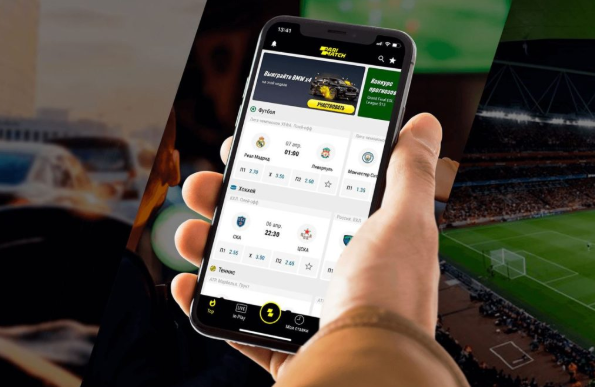
People don’t fall in love with mobile apps because of features alone. That’s the fantasy product teams like to tell themselves. In real life, users stay because an app feels easy. It loads fast, makes sense straight away, doesn’t ask stupid questions, and doesn’t force anyone to hunt for the one button they actually need.
That’s exactly why UX matters so much, especially in crowded categories where patience is thin. A finance tool, a delivery app, a streaming platform, even something like the parimatch casino app lives or dies on flow, not noise. If the interface feels clumsy, trust drops almost instantly. And once that happens, fancy offers or extra functions won’t save it.
Good UX is basically reduced friction
This sounds obvious, but plenty of apps still get it wrong.
A user opens an app with one goal in mind. Order food. Check balance. Watch something. Deposit money. Play a game. Book a cab. That goal should be reachable without a mini adventure. If the app adds confusion, delays, vague labels, or screens that seem designed by committee, the experience starts breaking apart.
The best UX usually feels boring in the best possible way. That’s the point, really. Good design should not shout. It should quietly remove obstacles.
Mobile users are impatient for a reason
Nobody uses a phone the way they use a laptop. Context is different.
People are standing in queues, half-watching TV, commuting, replying to messages, or trying to do three things at once. So mobile UX has to respect interruption. It has to work for distracted hands and short attention spans. That doesn’t mean users are lazy. It means the environment is chaotic.
This is why bad mobile design feels so much worse than bad desktop design. On a desktop, people might still tolerate an awkward menu or two. On a phone, one messy sign-up flow can be enough to make them leave. And they do leave.
Navigation should be obvious, not clever
There’s a weird habit in app design where teams try to be original with navigation. Hidden menus, custom icons no one understands, fancy gestures that aren’t explained. It may look “modern” in a design file. In use? Often awful.
Users don’t want to decode an interface. They want to move through it.
That means:
– clear bottom navigation
– recognisable icons
– predictable screen hierarchy
– visible back paths
– minimal guesswork
If a user has to stop and think, “Wait, where is that?” the app has already lost a bit of momentum. Maybe not enough to trigger uninstall right away, but enough to create annoyance. And annoyance stacks.
Speed is part of UX, not a separate issue
Design teams sometimes talk about UX as if it’s just layouts and buttons. It isn’t. Performance is UX too.
An app can look gorgeous and still feel terrible because it stutters, loads slowly, or freezes during a basic action. Nobody cares how polished the gradients are if the payment page hangs for six seconds or the home screen takes forever to populate.
Speed affects trust more than people realise. Especially in apps tied to money, communication, or live interaction. When something loads slowly in a shopping app, it feels sloppy. When it loads slowly in a banking or gaming app, it feels risky.
That’s a different level of damage.
Thumb-friendly design still gets ignored
This is one of those things everyone in mobile design claims to understand, then somehow forgets.
Phones are used with one hand all the time. Not always, but often enough that it should shape the layout. Important actions should sit where the thumb can actually reach without gymnastics. Tiny buttons in the top corners, packed menus, narrow tap zones — all of that creates low-grade friction that users may not describe clearly, but they definitely feel it.
Great UX often comes down to physical comfort. That part sounds almost too simple, but it matters.
A screen can be visually clean and still be awkward to use. That’s the trap.
Onboarding should explain just enough
Another classic mistake: overexplaining.
Some apps treat onboarding like a TED Talk. Five intro screens, six permission prompts, three “helpful” hints, and a forced tour before the user has even decided whether the app deserves space on the phone. It’s exhausting.
The best onboarding usually does less. It gets the user into the product quickly and explains only what’s needed at that moment. Not everything at once. Not every feature up front. Just enough to reduce confusion.
A good rule here? Let people discover the app while using it. Don’t trap them in a slideshow first.
Trust design matters more in high-stakes apps
Not all apps carry the same emotional weight.
If a music app feels a bit sloppy, annoying but survivable. If a payment app, healthcare app, betting app, or casino app feels sloppy, that’s different. Users become cautious immediately. They start noticing every odd redirect, every badly worded message, every unclear balance display, every suspicious permission request.
So UX in these categories has to do more than look good. It has to feel credible.
That usually means:
– clear transaction history
– visible support options
– obvious confirmation messages
– transparent error handling
– clean account settings
– no weird surprises during deposits or withdrawals
People don’t trust apps that behave unpredictably around money. Fair enough.
Microinteractions do more work than flashy visuals
A small vibration. A subtle success checkmark. A progress bar that actually makes sense. A button that changes state clearly after being tapped. These tiny moments matter.
Why? Because they reassure the user that the app understood the action.
Without that feedback, people tap twice, wonder if something failed, back out too early, or assume the system is broken. Suddenly one tiny design miss creates a bigger usability problem.
This is where solid UX often beats expensive design. A simple app with smart feedback feels better than a shiny app with no clarity.
Personalisation is useful until it becomes annoying
Modern apps love personalisation. Sometimes for good reason. Relevant shortcuts, smart recommendations, recent actions, preferred language settings — all helpful. Until the app starts behaving like it knows too much, changes too much, or constantly pushes things the user didn’t ask for.
That’s when personalisation stops feeling helpful and starts feeling invasive or just messy.
Good UX gives users control. It doesn’t hijack the interface in the name of “smartness.” A personalised app should still feel stable. Familiar. Easy to predict.
That’s harder to get right than many product teams seem to think.
The best apps respect user energy
This might be the most underrated part of UX.
People open apps when they’re tired, distracted, rushed, irritated, curious, bored, or halfway through something else. A well-designed mobile app respects that energy level. It doesn’t demand too much concentration. It doesn’t punish small mistakes. It doesn’t make users feel dumb for missing some hidden step.
There’s a real kindness in good UX. Not softness exactly. Just respect.
Bad UX makes users work for basic things. Good UX meets them where they are.
Final thought
UX in mobile apps is not decoration. It’s structure, speed, trust, comfort, and logic all rolled into one. When it works, users barely notice. That’s usually the sign it’s doing its job.
The strongest apps don’t win because they have the most features jammed into the menu. They win because they feel natural after thirty seconds. Easy to learn. Easy to trust. Easy to return to.
And in a mobile market where switching costs are basically nothing, that’s not a minor advantage. That’s the whole game.
