


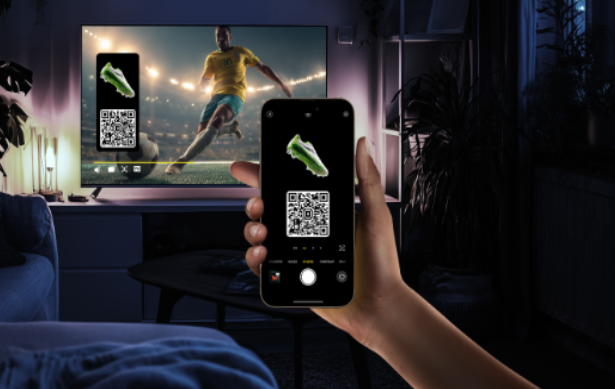
Mobile sports streaming has a brutal job. It needs to look good on a 6-inch screen, stay stable on shaky networks, and still feel “live” enough that fans don’t get spoiled by a notification from a friend. One glitch in the last over, one frozen penalty kick, and the app gets deleted. No second chances.
That’s why platforms built around live viewing, like this website, keep pushing UX in a direction that’s less about fancy visuals and more about control, speed, and clarity. The best mobile UX right now is the kind people barely notice because it just works.
Thumb-first design is winning
If a key button sits in the top-left corner, it’s basically a design bug. Most viewing happens one-handed, in transit, in queues, half-distracted. Streaming apps are adapting with layouts that respect thumbs and impatient users.
What’s showing up more often:
- Bottom navigation that stays consistent across sections
- Large tap targets for Play, quality, and full-screen
- Cleaner overlays that disappear fast and don’t block action
- Fewer “are you sure?” pop-ups mid-match
Latency is now part of UX, not just engineering
Fans hate being behind. Even 20–30 seconds can ruin a moment when social feeds explode early. Modern platforms treat latency like a front-end feature: they surface it, manage it, and give options.
Common UX patterns:
- “Low delay” modes with a simple toggle
- Clear quality vs delay trade-offs instead of hiding them
- Faster resume so returning from a call doesn’t feel like time travel
Quality controls got smarter and less annoying
Auto quality used to mean “good luck.” Now the better apps adjust bitrate smoothly and let users step in without digging through menus.
Trends that feel small but matter:
- One-tap Data Saver mode
- Remembered preferences per network (Wi-Fi vs mobile data)
- Quick quality switch that doesn’t kick the stream into a reload spiral
Picture-in-picture and split attention are the default
Nobody watches with full focus for 90 minutes straight. People check messages, maps, banking apps, work chats. Streaming platforms stopped fighting that and started designing around it.
Mobile UX is leaning into:
- Picture-in-picture that actually stays stable
- Audio-first continuity when the screen is locked
- Minimal mini-player UI so it doesn’t feel like a floating billboard
The “match hub” is replacing the old home screen
A modern sports app isn’t just a list of live games. Fans want context in one place: score, overs, key events, lineup, odds, commentary, and quick replays. The match hub is becoming the core product.
A strong match hub usually includes:
- A timeline with wickets, boundaries, cards, substitutions
- One-scroll access to stats and stream
- Highlight clips pinned to key moments
- Clear markers for breaks, rain delays, reviews, VAR-type events
Micro-interactions that keep viewers calm
Sports are stressful enough. UX shouldn’t add friction. Apps are improving the little things: loading states, error messages, reconnection flows. If the stream drops, users want reassurance and a fast recovery path, not a blank screen.
Better patterns in 2026-era streaming UX:
- Instant “Reconnecting” with a visible progress cue
- A fallback to live tracker or audio commentary during outages
- A single tap to resume, not a full restart
Personalization without turning everything into noise
Notifications are useful until they aren’t. Platforms are getting better at letting fans choose what matters: a team, a tournament, a player, or just “tell me when it gets close.”
What’s trending:
- Granular alerts (wicket alerts, innings end, close finish, match start)
- Quiet hours that users can set in-app
- Anti-spoiler modes for people who start late
Accessibility is becoming mainstream UX
This is overdue. Sports streaming is being used by everyone, in every lighting condition, with every level of hearing and vision.
More platforms now ship:
- Proper captions and better contrast
- Scalable text that doesn’t break the layout
- Clear focus states for assistive navigation
Where mobile UX is heading next
The direction is pretty clear: less clutter, more control, and faster recovery when something goes wrong. The winners won’t necessarily be the ones with the flashiest UI. They’ll be the ones that respect how people actually watch sports on a phone: distracted, moving, and allergic to delays.
Mobile streaming UX is growing up. About time.
